Composer and Saved
Send webhooks by hand. Send to webhook from any message, write a request in the Composer, and keep requests in Saved to send again.
Try it in the demo.
Rules send automatically. These three tools send when you say so.
What it solves
- Sending one particular email or SMS to a handler, now, without a rule.
- Testing a payload your app should reject: a missing field, a wrong type, a huge body.
- Keeping a request that once broke your app, to send again after every change (a regression check by hand).
How it connects
| Gets from | Sends to |
|---|---|
| a message in Mail, SMS or the HTTP Catcher (Send to webhook) | an endpoint, which signs the request |
| templates as presets, variables and Prompt variables | a manual delivery in Deliveries |
| Save on a delivery | Saved deliveries, and Save as template to Templates |
Use it
- Open an email in Mail and choose Send to webhook from its actions.
- Pick the Endpoint. Keep Format as the endpoint sends it, or pick another template for this send only.
- Fill any Prompt variables, and check the preview.
- Press Send. The result shows the status and time, with Open delivery and Save.
Everything on this screen
Send to webhook
Available on emails, SMS and captured HTTP requests. The dialog has:
- Endpoint (enabled ones, starting with the first whose template fits the message) and Format.
- Prompt variables: an input per Prompt variable, prefilled with its default.
- Override variables: name and value rows that win over the endpoint's and global values, for this send only.
- Preview of the method, URL, headers and body, with problems under each part. Edit body puts the body in the editor; an edited body is sent as written.
- Send records a
manualdelivery. A render error blocks sending.
Composer
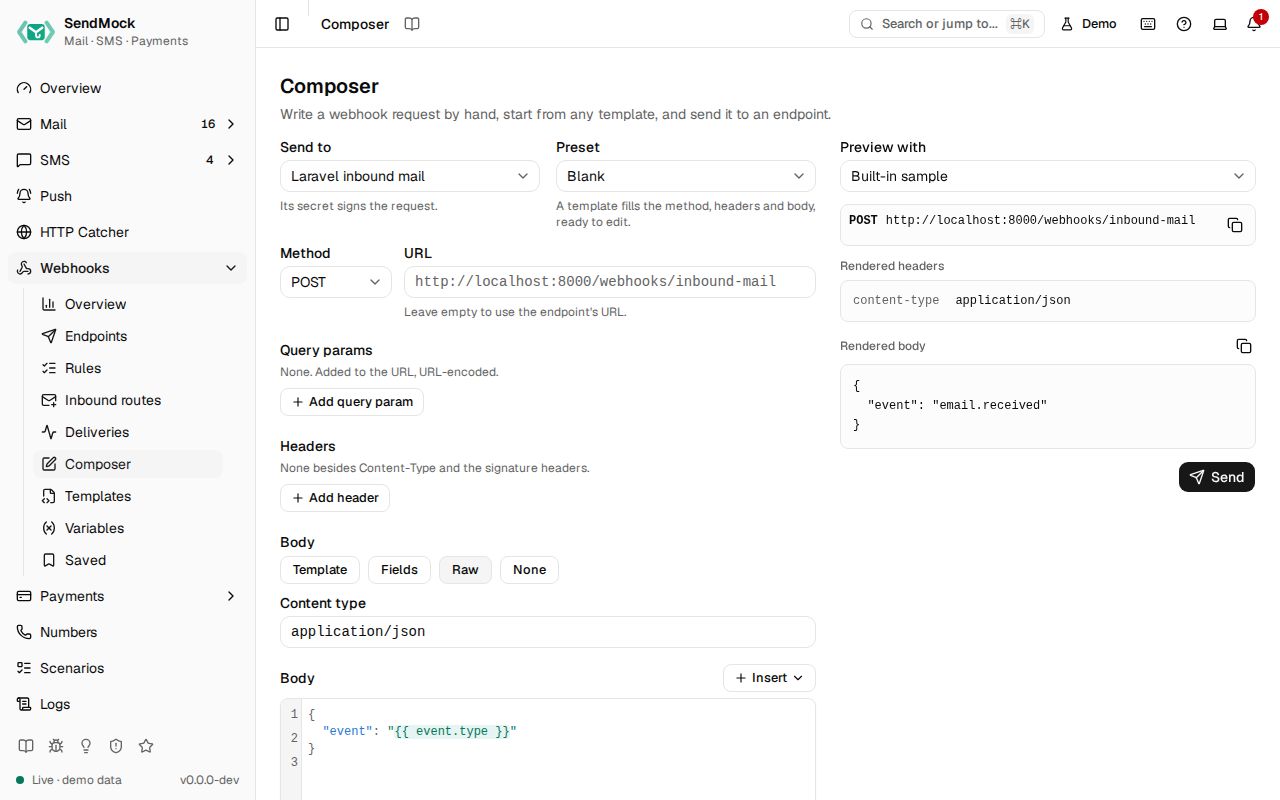
A request written by hand, like a small Postman, at Webhooks > Composer:
- Send to: an endpoint, which supplies the secret and signing, and the URL unless you type another. Pick the Method here.
- Preset: Blank or any template; a template fills the method, headers, content type and body, ready to edit.
- The same request editor as the endpoint sheet (query params, headers, body mode, Strict or Lenient; see Advanced: request editor), Prompt variables and overrides, and a live preview against the sample or a recent email or SMS.
- Send works as in Send to webhook.
Saved deliveries
Bookmarks made with Save on a delivery, at Webhooks > Saved, newest first, with a search by name. Each shows the name, method and URL, its endpoint and template, and when it was saved; open it to see the stored headers and body.
| Action | Does |
|---|---|
| Send | to the original endpoint or another one, optionally re-rendered with fresh values; shows the result and a link to the new delivery |
| Rename, Delete | as named (Delete asks first) |
| Save as template | turns the stored request into a custom template |
Saved deliveries survive pruning and reset, and are written to the seed export (without signature headers, which are made fresh on each send).
Every control and text, one by one: Composer in depth and Saved deliveries in depth.
Customize
- Presets come from templates; a stored request becomes one with Save as template (Advanced: templates).
- Values asked for at send time are Prompt variables (Advanced: variables).
- Body modes and Strict or Lenient rendering: Advanced: request editor.