Endpoints
Where SendMock sends, with the URL and method, the request's template, the signing secret, retries and variables.
Try it in the demo.
An endpoint is one destination for webhooks, usually one handler in your app.
What it solves
- One place to say "my app's inbound mail handler is at this URL and expects Postmark's format".
- Testing that your handler checks signatures, and keeps working while a secret is rotated.
- Testing retries: what your app does when it gets the same webhook again.
How it connects
| Gets from | Sends to |
|---|---|
| Rules that point at it | requests to your app, logged in Deliveries |
| its template and variables | payments' gateway notifications, when a gateway names it as its notification endpoint |
| Send to webhook, the Composer and saved deliveries | its success rate to the Overview and Webhooks overview |
Use it
- Press Add endpoint.
- In General, give it a name and your handler's URL, for example
http://localhost:8000/webhooks/sms. - In Request, pick a template, for example "Twilio: inbound SMS". Its required variables show in Variables with a Missing badge until you set them.
- Press Add endpoint, then Send test on its row. The dialog shows the status code, time, your app's answer, the signed headers and a link to the delivery.
Everything on this screen
The table
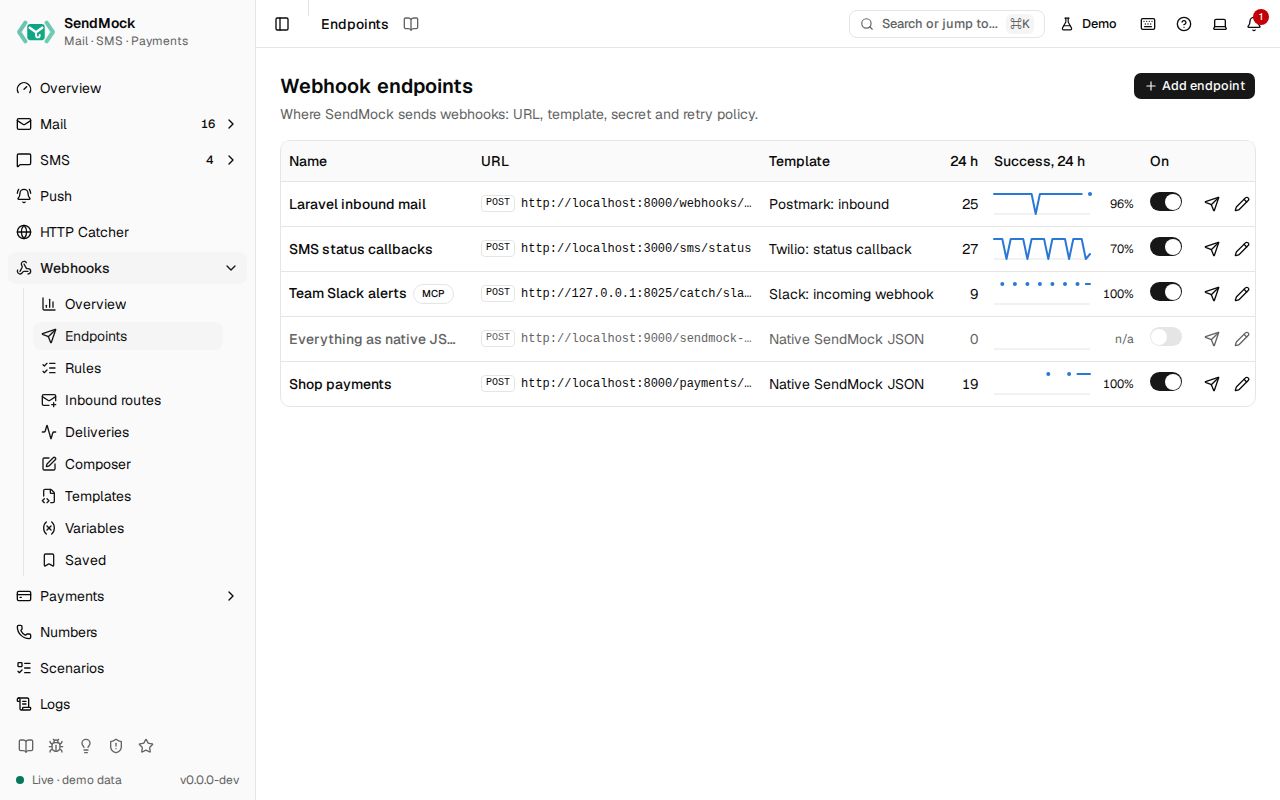
Name, method and URL, template, an enabled switch (applies at once), deliveries in the last 24 hours, and a success-rate sparkline with the rate. Row actions: Send test, Edit and Delete (the confirmation says how many rules go with it). When SendMock runs in Docker, a localhost URL shows a hint to use host.docker.internal, with a button that swaps it in.
With no endpoints yet, the screen offers Add endpoint and Add a catcher endpoint (native JSON to /catch/webhooks, so test sends land in the HTTP Catcher).
The edit sheet
| Tab | Holds |
|---|---|
| General | name, method, URL (it may use {{ }} templates), timeout (1 to 60 s), enabled |
| Request | the body mode (Template, Fields, Raw or None), the template with "Based on ... rev N", link mode (Linked follows template updates; Detached keeps a private copy), extra headers and body fields, query params, Strict or Lenient rendering, and a live preview. See Advanced: request editor |
| Security | the secret, masked (whsec_••••3f9a); Reveal asks first and is logged; Copy secret; Rotate secret with an overlap (1 hour, 24 hours or 7 days) during which the old secret still verifies; the signing scheme the template uses |
| Retries | max attempts (1 to 10), the delay before each retry (1 s to 24 h, the last one repeats), Retry on 4xx, and the attempt schedule ("attempts at 0 s, 1 s, 6 s, 36 s, ...") |
| Variables | the endpoint's own variables, and the template's required ones with Missing until set here or globally; names with token, secret, key or password are stored as secrets |
Every control and text, one by one: Endpoints in depth.
Customize
- Your own request shapes: Advanced: templates and Advanced: request editor.
- Values per send: Advanced: variables.
- Keep endpoints in the seed file for your team: Advanced: seed file.
From the CLI, API and AI
Agents can set secrets but never read them back.