Gateways
The emulated payment providers. What each offers at checkout, its credentials, what it sends back to your app, and your own gateways.
Try it in the demo.
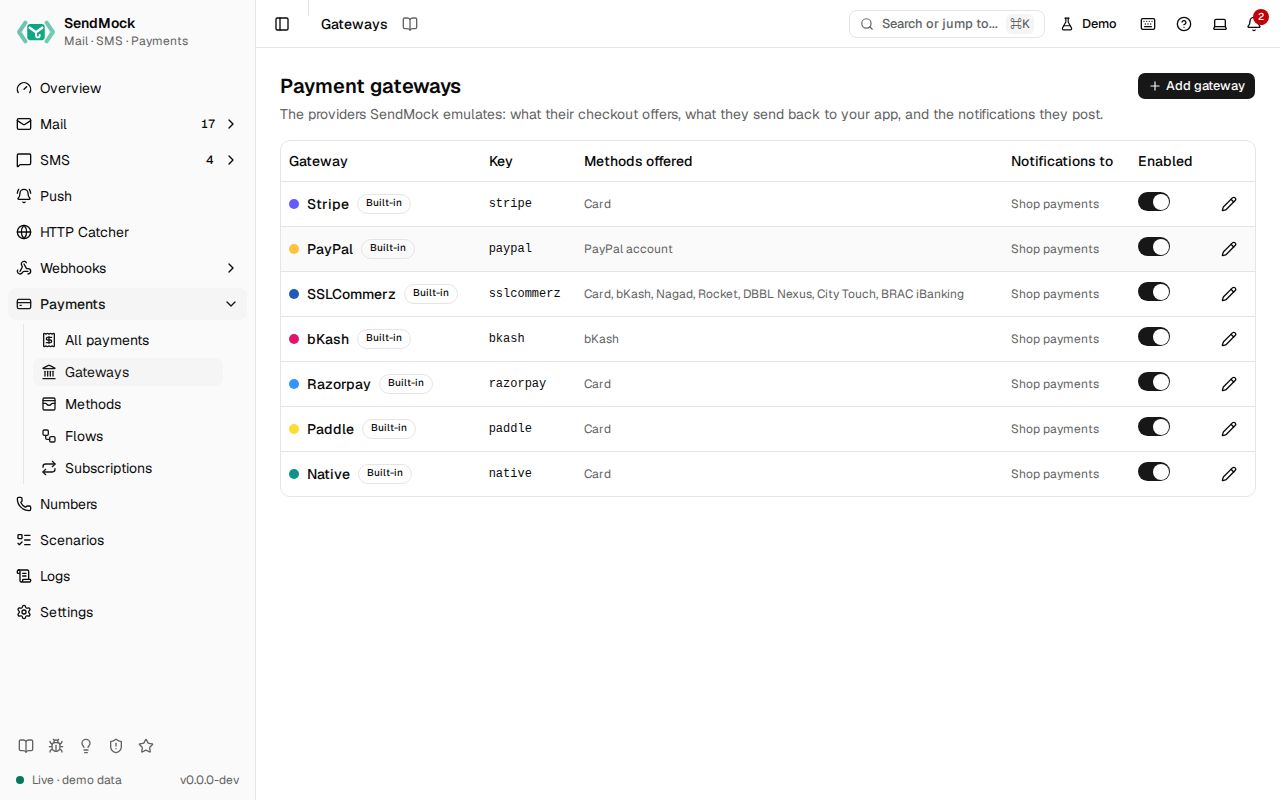
A gateway is one emulated payment provider: Stripe, PayPal, SSLCommerz, bKash, Native, or one you add. Gateways are data, not code: what a gateway offers, what its redirect carries and what its notification looks like are all editable, and Reset to default brings a built-in back.
What it solves
- A gateway SendMock does not ship. Add it from blank or from the closest built-in, with its own fields and signature. See Advanced: create a gateway.
- A built-in that differs from your account's setup: another event name, an extra redirect field, a method your merchant account does not offer.
- Credentials your app checks, such as SSLCommerz's store id and password, in one place, masked.
How it connects
| Gets from | Sends to |
|---|---|
| Methods: the ones it offers at checkout, in order | the checkout page: which methods and steps it shows |
your app's API calls at /providers/<key>/... on port 8026 (a custom gateway answers session init and validation) | redirects to your app, with the fields set on the Redirect tab |
| Settings > Payments: merchant name and currency | notifications to its notification endpoint (a webhooks endpoint), logged in Deliveries |
Use it
- Press Edit SSLCommerz.
- In Checkout, see the methods it offers (Card, bKash, Nagad, Rocket, DBBL Nexus, City Touch, BRAC iBanking), and press Open a test checkout.
- Pay with a test bKash number. Back on the gateway, the Redirect and Notification tabs show exactly what was sent, with a live preview.
Everything on this screen
The table
Name, key, the methods offered, the notification endpoint, Built-in or Custom, Modified once a built-in is edited, and an enabled switch. Add gateway asks for a name, a key (the provider value in the API and in /providers/<key>/... paths) and Start from (a built-in to copy, or blank).
The gateway sheet
| Tab | Holds |
|---|---|
| General | name, key (fixed after creation), accent colour (the checkout page uses it), enabled |
| Checkout | Methods offered, in order: Add a method, move up and down, remove; and Open a test checkout, which creates a test payment on this gateway and opens its page |
| Merchant | credentials as name and value rows (store id, secret key, ...), secrets masked with a reveal that asks first; the Notification endpoint |
| Redirect | GET or POST, and the fields sent back to your app: a name and a template each, sent Always or Only on success (like PayPal's PayerID) |
| Notification | JSON or Form, the gateway's event name for each native event (blank sends nothing for it), the body template and header templates (for signatures) |
Beside Redirect and Notification, a Preview renders them against a chosen payment, event and redirect outcome, with secrets masked and problems under each part. A gateway with template errors cannot be saved ("Fix 1 template error to save").
What templates can read
| Value | Holds |
|---|---|
payment | id, reference, amount_minor and amount_major, currency, status, failure code, customer, method, provider ids, metadata |
event | id, the native type, the gateway's name for it, created as Unix seconds |
redirect | outcome (success, fail or cancel) and status |
merchant | the credentials by name, for example merchant.store_passwd |
Plus the template functions and filters, and uuid(), random_hex(length), now_iso() and stripe_signature(secret) for signature headers. A form body is written encoded, for example tran_id={{ payment.reference | urlencode }}&status=....
Built-in and custom
A built-in can be edited and disabled but not deleted; it shows Modified once edited, and Reset to default (asks first) restores it. A custom gateway can be deleted while no payment uses it.
Every control and text, one by one: Gateways in depth.
Customize
The full walkthrough, from the provider's docs to a working checkout and a seed export: Advanced: create a gateway. An AI agent can do it for you: AI: create a gateway with AI.