Methods
What a customer pays with (card, PayPal account, bKash, Nagad, a bank) and the test values that decide the outcome.
Try it in the demo.
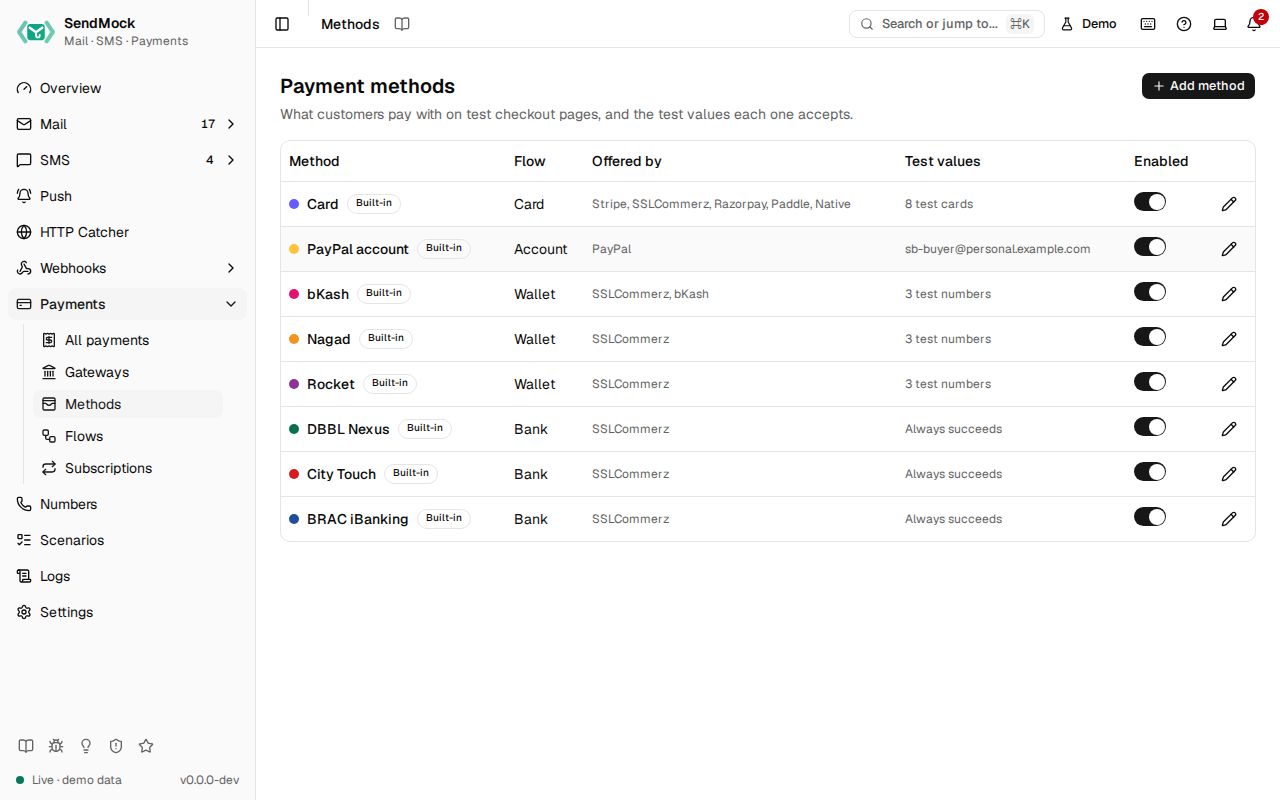
A payment method is what the customer picks on the checkout page: a card, a PayPal account, a wallet such as bKash or Nagad, an internet bank. Each method runs one flow and holds the test values its steps check.
What it solves
- A wallet or bank SendMock does not ship (Upay, a local bank): add it as a method and offer it on any gateway.
- Test values that match your tests: a different OTP, PIN or test number, or a method that always succeeds.
- A method your merchant account does not offer: switch it off and it disappears from every checkout.
How it connects
| Gets from | Sends to |
|---|---|
| Flows: the steps it asks for | Gateways that offer it |
| the checkout page: its name, colour, steps and the test values shown | |
| Settings > Payments: the test values list |
Use it
- Press Edit bKash.
- Set Test OTP to
654321and press Save method. The row shows Modified. - Open a bKash checkout: the page now says "Test code: 654321".
- Back here, press Reset to default to undo.
Everything on this screen
The table
Name, flow, the gateways offering it ("No gateway yet" for none), test values count (or "Always succeeds"), Built-in or Custom, Modified, and an enabled switch. Built-ins: Card, PayPal account, bKash, Nagad, Rocket, DBBL Nexus, City Touch, BRAC iBanking.
Add method asks for the Flow and a Name (the key is suggested from it).
The method sheet
Name, key and flow (fixed after creation), accent colour, and the test values the flow's steps need:
| Flow has | You set |
|---|---|
| a card form | Test cards: number and outcome (Succeeds, Declined with a reason, Requires 3-D Secure, Succeeds then a dispute opens). Only numbers from the documented test ranges that pass the Luhn check are accepted. |
| an account number or voucher step | test numbers or codes, each with an outcome (Succeeds, Declined: insufficient balance, Wrong PIN (asked again)) |
| an OTP step | Test OTP |
| a PIN step | Test PIN (4 to 6 digits) |
| a signed-in account step | Test account |
| no deciding step | the Outcome: Succeeds or Declined |
A built-in shows Reset to default (asks first). A custom method can be deleted while no payment uses it.
Every control and text, one by one: Methods in depth.
Customize
Add a new wallet end to end: Advanced: payment method.