Flows
The steps a checkout page asks for, in order, built from a catalogue of step types, with your own labels.
Try it in the demo.
A flow is the sequence of steps a customer goes through for one kind of method: a card form; or an account number, then an OTP, then a PIN; or a QR code to scan. Methods use flows, so changing a flow changes every method that runs it.
What it solves
- A provider's checkout has different steps (a PIN before the OTP, a QR code, a voucher): compose the same steps here, and your checkout test matches the real one.
- Labels that match the provider's page:
Your Upay account number,SMS code for {method}.
How it connects
| Gets from | Sends to |
|---|---|
| the step catalogue (what SendMock knows how to show and check) | Methods that run it |
| the checkout page: the steps, labels and the picker tab |
Use it
- Press Edit Wallet.
- In Step 2: OTP, change Field label to
SMS code for {method}. The preview under the step shows "SMS code for bKash". - Press Save flow, then open a bKash checkout: the label has changed for every wallet method.
- Press Reset to default on the flow to undo.
Everything on this screen
The table
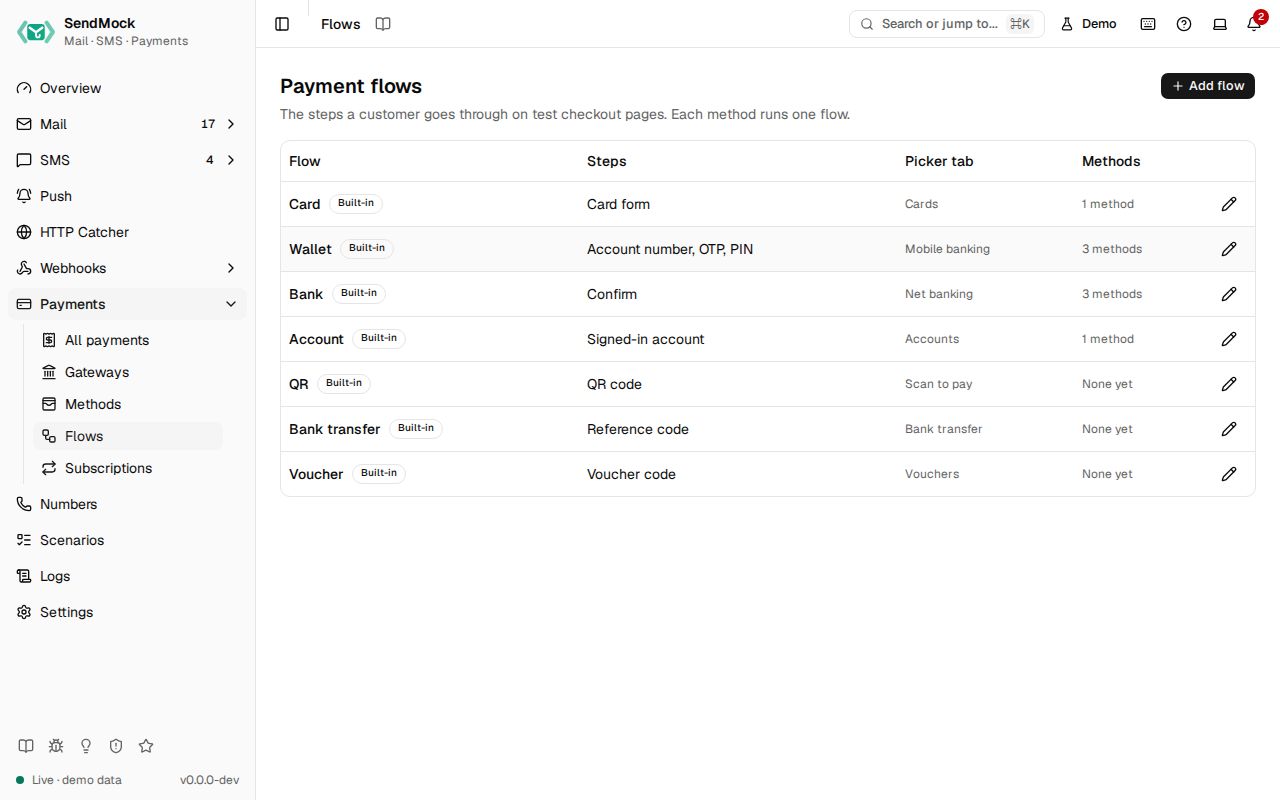
Name, steps in order (for example "Account number, OTP, PIN"), picker tab, the methods using it ("None yet"), Built-in or Custom, and Modified. Add flow asks for a name, a key and the Picker tab (the tab the checkout page groups it under, such as "Mobile banking").
Built-in flows:
| Flow | Steps | Picker tab |
|---|---|---|
| Card | card form | Cards |
| Wallet | account number, OTP, PIN | Mobile banking |
| Bank | confirm | Net banking |
| Account | signed-in account | Accounts |
| QR | QR code | Scan to pay |
| Bank transfer | reference code | Bank transfer |
| Voucher | voucher code | Vouchers |
The step catalogue
| Step | Shows | Checked against the method's |
|---|---|---|
| Card form | number, expiry, CVC, name (and a 3-D Secure challenge when the card asks) | test cards |
| Account number | a wallet, phone or account number | test numbers |
| Voucher code | a code field | test numbers |
| OTP | a verification code | test OTP |
| PIN | a PIN (asked again when wrong) | test PIN |
| Signed-in account | the test account with Approve and Cancel | test account |
| QR code | a QR code and "I have paid" | outcome |
| Reference code | a reference to pay with elsewhere and "I have paid" | outcome |
| Confirm | a confirm button | outcome |
A flow has 1 to 6 steps and at most one deciding step (card form, account number or voucher code); without one, the method's outcome decides.
The flow sheet
- Steps in order: Add step from the catalogue, move up and down, remove. Each step has Title, Field label, Hint and Button text.
- Label variables above the steps, each with what it becomes and an example, and Insert variable beside each label:
{method},{amount},{currency},{merchant},{gateway},{reference},{customer_email}. - A preview line under each step shows its labels filled in.
- Problems show before saving: no step, two deciding steps, an unknown variable ("
{ammount}is not a variable").
A built-in shows Modified and Reset to default; it cannot be deleted. A custom flow can be deleted while no method uses it.
A step type SendMock cannot show yet needs code (a checkout component and a server check); ask for it with a provider request issue.
Every control and text, one by one: Flows in depth.
Customize
Compose a QR wallet flow from scratch: Advanced: payment flow.