Templates
The shapes a webhook request can take. Built-in templates act like Twilio, Postmark, SendGrid, Slack and more; your own cover the rest.
Try it in the demo.
A template is a recipe for a webhook request: method, content type, headers, body and signature, written with {{ }} placeholders that are filled from the event and variables.
What it solves
- Your production handler, unchanged. Pick "Postmark inbound" and the request is the one Postmark would send, so the code you run in production is the code you test.
- Team alerts. Slack, Discord and Teams templates post a readable message about the event.
- A service SendMock does not ship. Clone the closest template, or write your own.
How it connects
| Gets from | Sends to |
|---|---|
the event's data (event, data), variables (vars), the endpoint and delivery | the request an endpoint sends |
| Save as template from an endpoint or a saved delivery | presets in the Composer and Format in Send to webhook |
Use it
- Open Webhooks > Templates and pick the Email providers tab.
- Open "Postmark inbound". The detail shows the events it fits, its required variables, a link to Postmark's docs, and a live preview against a sample.
- Pick a recent email in Preview with to see the request your app would get.
- Press Use in new endpoint. The endpoint sheet opens with the template chosen; add your URL and save.
Everything on this screen
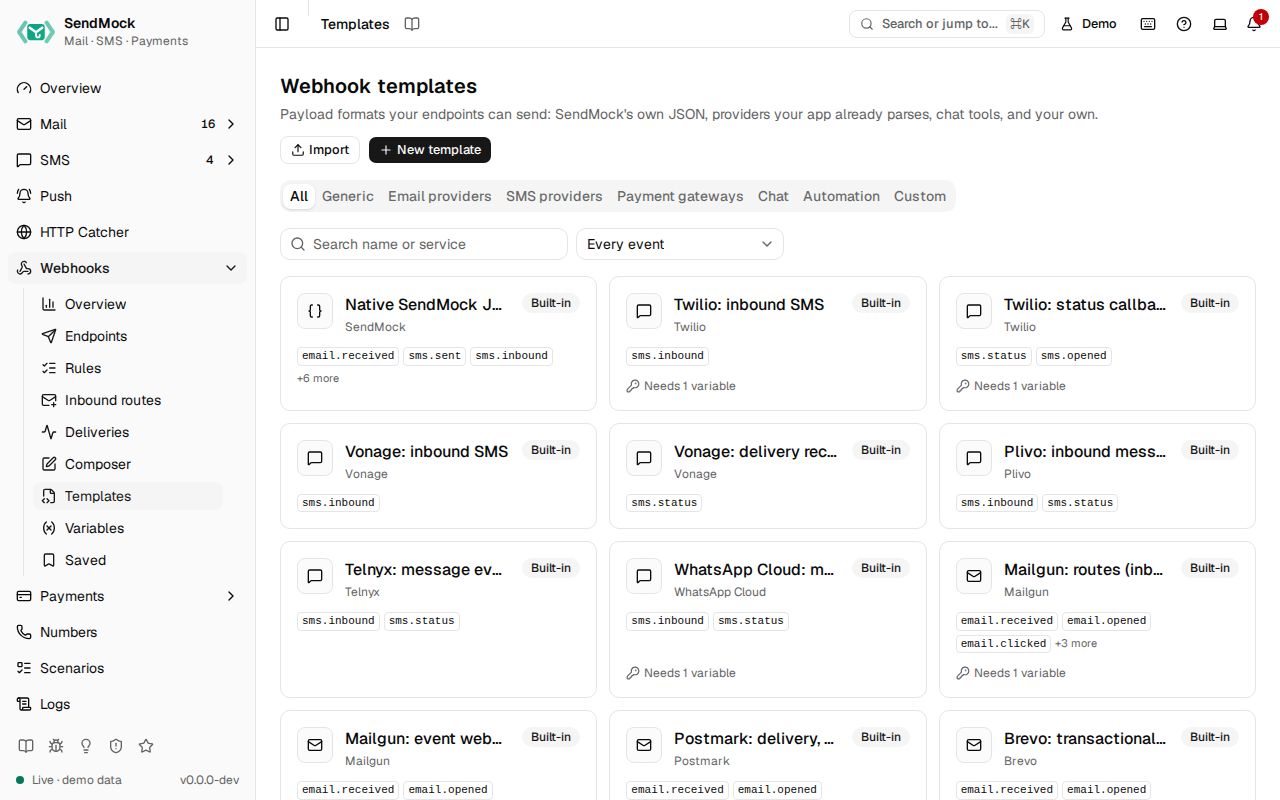
The gallery
Category tabs (All, Generic, Email providers, SMS providers, Chat, Automation, Custom), a search on name or service, and an event filter. Each card shows the service, name and events; badges mark Modified built-ins and templates loaded from files.
Built-in templates
Every built-in template, with its events and required variables, is listed in Built-in webhook templates.
Act like the provider (your app receives what the provider would send):
| Area | Services |
|---|---|
| Mailgun, SendGrid, Postmark, Amazon SES (via SNS), Resend, Brevo, Mailchimp Transactional, SparkPost: inbound mail and delivery, open, bounce and complaint events | |
| SMS | Twilio, Vonage, Plivo, MessageBird, Telnyx, Sinch, Infobip, Africa's Talking, AWS SNS: inbound SMS and status callbacks |
Notify a tool (post the event to a team tool): Slack, Discord, Microsoft Teams, Google Chat, Telegram, Mattermost and Rocket.Chat, n8n, Zapier, Make and Pipedream, and Generic (SendMock's native JSON signed with Standard Webhooks, the default).
Payment notifications (Stripe, PayPal, SSLCommerz, bKash) are shaped by each gateway, not here.
The template detail
The request shape (method, content type, headers, body template), Events it fits, required Variables, Provider docs, which endpoints use it, a Preview against the built-in sample or a recent message (with warnings and errors), and actions: Use in new endpoint, Edit (built-ins too), Clone, Export, History (revisions with a diff and restore) and Delete (custom only).
Every control and text, one by one: Templates in depth.
Customize
Edit a built-in (it shows Modified; Reset to default brings back the shipped one), create from blank, clone, import and export, share a templates folder with your team: Advanced: templates.
From the CLI, API and AI
Related
Composer and Saved
Send webhooks by hand. Send to webhook from any message, write a request in the Composer, and keep requests in Saved to send again.
Variables
Values templates read as vars.name. Fixed values, secrets, values from the message, random values, combinations and values asked for at send time.