Providers
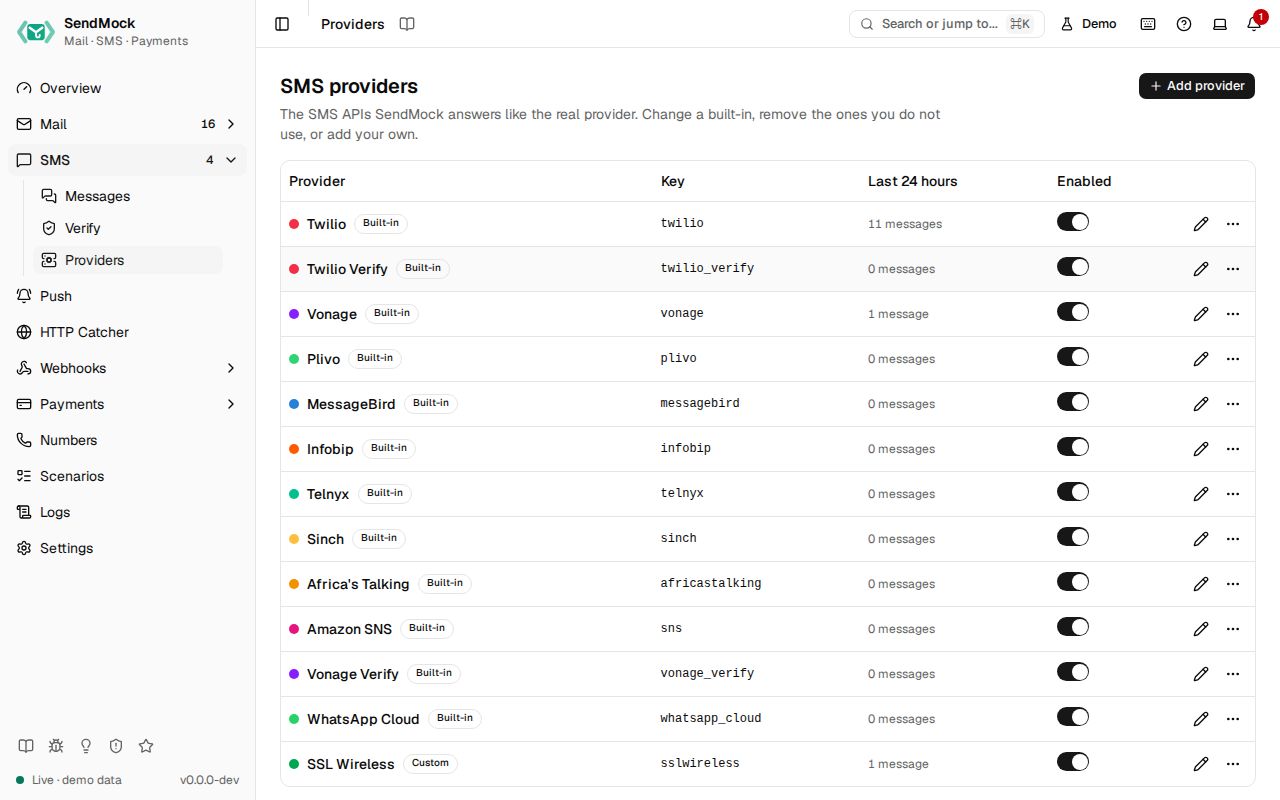
The SMS APIs SendMock answers like the real provider. Change a built-in, remove the ones you do not use, or add your own.
Try it in the demo.
An SMS provider is one API SendMock answers like the real one: Twilio, Twilio Verify, Vonage, Vonage Verify, Plivo, MessageBird, Infobip, Telnyx, Sinch, Africa's Talking, Amazon SNS, WhatsApp Cloud, or one you add. The demo already has one you could add yourself: SSL Wireless, a regional vendor, added from blank. Providers are data, not code, like payment gateways, and Reset to default brings a built-in back. The full list is on Supported providers.
What it solves
- A regional or smaller SMS vendor SendMock does not ship. Add it from blank or from the closest built-in, with its own paths, fields, answers and error codes. See Advanced: create an SMS provider.
- A built-in that differs from your account: another field, a status name your app checks, a message id format.
- Providers you do not use: remove them from the filters, the rule picker and Settings > Connection, and restore them any time.
How it connects
| Gets from | Sends to |
|---|---|
your app's API calls at the provider's real path on port 8026, or at /providers/<key>/... | SMS: every message is stored with its provider, shown as a badge that opens this screen |
| Webhooks > Templates: the template its status callbacks use | your app: the provider's own answer, success or error, and its error code for each test number outcome |
| its credentials, when Check credentials is on | Webhook rules: the SMS API filter lists every provider |
Use it
- Press Edit Twilio.
- Open Preview: the sample send is stored and Twilio answers
201with anSMmessage id. - Remove
Tofrom the sample body: nothing is stored, and the answer is Twilio's own error, code21604.
Everything on this screen
The table
Name with its accent dot, Built-in or Custom, Modified once a built-in is edited, the key, messages in the last 24 hours, and an enabled switch. The row menu has Reset to default, Remove (a built-in) and Delete (a custom provider), each asking first. Add provider asks for a name, a key and Start from (blank, or a copy of another provider).
Removed
Built-ins you removed are listed here. Requests to their paths get a 404 until you press Restore; their messages stay.
The provider sheet
| Tab | Holds |
|---|---|
| General | name, key (fixed after creation), host, accent, enabled, credentials (secrets masked, reveal asks first) and Check credentials |
| Requests | the requests it answers (send, fetch, list, cancel, start and check verification), the field mapping (from, to, body, media and the rest) and the checks on a send, such as an E.164 number |
| Responses | the message id template, the success response and one response per error kind |
| Callbacks | the webhook template for status callbacks, the provider's name for each status, and its error code for each delivery outcome |
| Preview | a sample request, the message SendMock would store, the answer it would give, the problems, and what templates can read |
| Try it | the base URLs and a curl command for this provider |
Every control and text, one by one: SMS providers in depth.
Customize
The full walkthrough, adding Africa's Talking from its API docs: Advanced: create an SMS provider.